Technical Documents
Specifications
Brand
MicrochipProduct Type
Chip Programmer
Sub Type
Programming Kit
For Use With
SAM and Atmel AVR Microcontrollers
Programmer Name
Atmel-ICE
Interface Type
JTAG
Standards/Approvals
WEEE, RoHS, CE, FCC
Country of Origin
China
Product Details
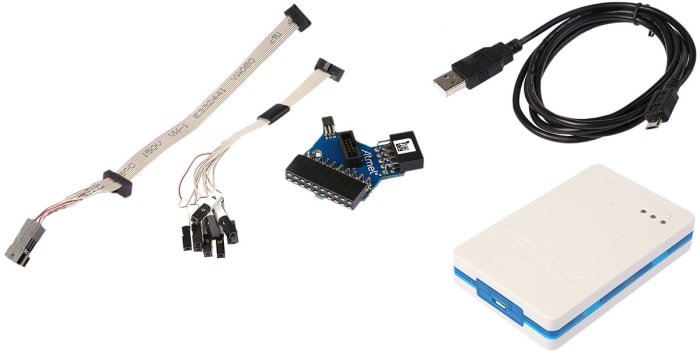
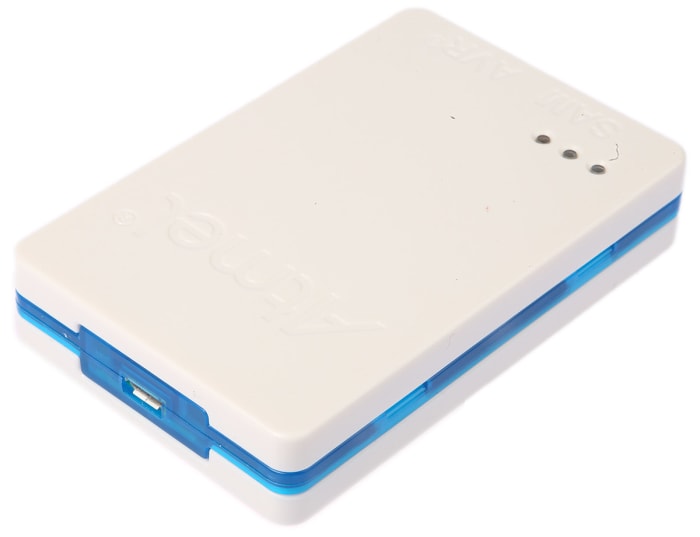
Microchip ATMEL-ICE is a development tool designed for debugging and programming microcontrollers (MCUs). It is used with SAM and AVR microcontrollers, with ARM Cortex-M core, which has on-chip debug capability.
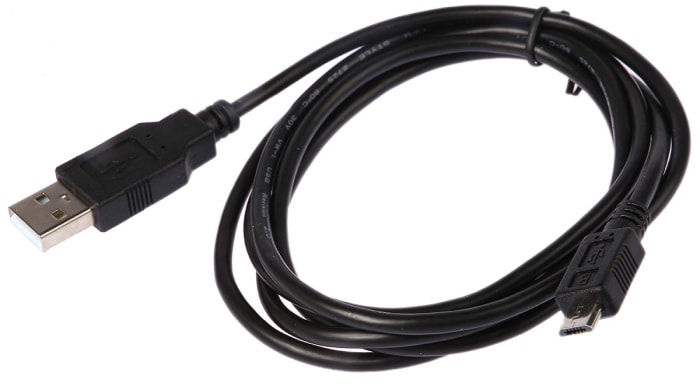
The Atmel-ICE unit requires that a front-end debugging environment Atmel Studio version 6.2 or later is installed on your computer. The Atmel-ICE should be connected to the host computer using the USB cable provided, or a certified Micro-USB cable.
How to open Atmel - ICE?
For normal operation, the Atmel-ICE unit must not be opened. Opening the unit is done at your own risk. Anti-static precautions should be taken.
The Atmel-ICE enclosure consists of three separate plastic components - top cover, bottom cover, and blue belt - which are snapped together during assembly. To open the unit, simply insert a large flat screwdriver into the openings in the blue belt, apply some inward pressure and twist gently. Repeat the process on the other snapper holes, and the top cover will pop off.
How to turn the Atmel - ICE on?
The Atmel-ICE is powered by the USB bus voltage. It requires less than 100mA to operate, and can, therefore, be powered through a USB hub. The power LED will illuminate when the unit is plugged in. When not connected in an active programming or debugging session, the unit will enter low-power consumption mode to preserve your computer's battery. The Atmel-ICE cannot be powered down - it should be unplugged when not in use.
How does it connect?
The Atmel-ICE communicates primarily using a standard HID interface and does not require a special driver on the host computer. The Atmel-ICE must be connected to an available USB port on the host computer using the USB cable provided, or suitable USB certified micro cable. The Atmel-ICE contains a USB 2.0 compliant controller and can operate in both full-speed and high-speed modes. For best results, connect the Atmel-ICE directly to a USB 2.0 compliant high-speed hub on the host computer using the cable provided.
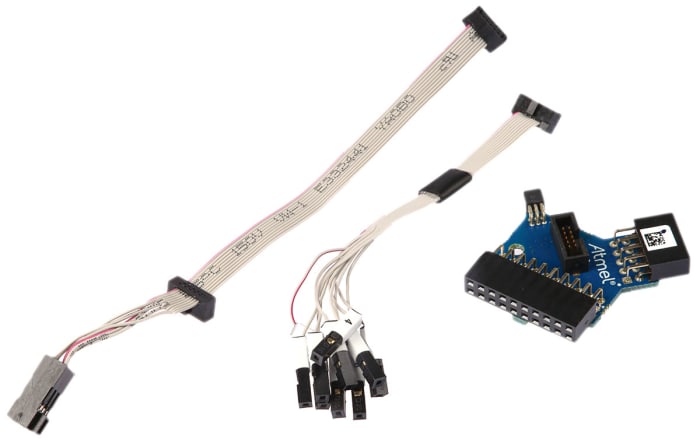
Cable kit: 177-9591
Adapter kit: 177-9590
Basic kit: 130-6123
PCBA kit: 130-6124
Full kit: 130-6122

Stock information temporarily unavailable.
€ 97.01
€ 97.01 Each (ex VAT)
1
€ 97.01
€ 97.01 Each (ex VAT)
Stock information temporarily unavailable.
1
Technical Documents
Specifications
Brand
MicrochipProduct Type
Chip Programmer
Sub Type
Programming Kit
For Use With
SAM and Atmel AVR Microcontrollers
Programmer Name
Atmel-ICE
Interface Type
JTAG
Standards/Approvals
WEEE, RoHS, CE, FCC
Country of Origin
China
Product Details
Microchip ATMEL-ICE is a development tool designed for debugging and programming microcontrollers (MCUs). It is used with SAM and AVR microcontrollers, with ARM Cortex-M core, which has on-chip debug capability.
The Atmel-ICE unit requires that a front-end debugging environment Atmel Studio version 6.2 or later is installed on your computer. The Atmel-ICE should be connected to the host computer using the USB cable provided, or a certified Micro-USB cable.
How to open Atmel - ICE?
For normal operation, the Atmel-ICE unit must not be opened. Opening the unit is done at your own risk. Anti-static precautions should be taken.
The Atmel-ICE enclosure consists of three separate plastic components - top cover, bottom cover, and blue belt - which are snapped together during assembly. To open the unit, simply insert a large flat screwdriver into the openings in the blue belt, apply some inward pressure and twist gently. Repeat the process on the other snapper holes, and the top cover will pop off.
How to turn the Atmel - ICE on?
The Atmel-ICE is powered by the USB bus voltage. It requires less than 100mA to operate, and can, therefore, be powered through a USB hub. The power LED will illuminate when the unit is plugged in. When not connected in an active programming or debugging session, the unit will enter low-power consumption mode to preserve your computer's battery. The Atmel-ICE cannot be powered down - it should be unplugged when not in use.
How does it connect?
The Atmel-ICE communicates primarily using a standard HID interface and does not require a special driver on the host computer. The Atmel-ICE must be connected to an available USB port on the host computer using the USB cable provided, or suitable USB certified micro cable. The Atmel-ICE contains a USB 2.0 compliant controller and can operate in both full-speed and high-speed modes. For best results, connect the Atmel-ICE directly to a USB 2.0 compliant high-speed hub on the host computer using the cable provided.
Cable kit: 177-9591
Adapter kit: 177-9590
Basic kit: 130-6123
PCBA kit: 130-6124
Full kit: 130-6122